Free NAS
March 13, 2019
Showing posts with label Free NAS. Show all posts
Wednesday, 13 March 2019
Free NAS
March 13, 2019
Free NAS Installation Raid 5 configuration and user permission
Installer Boot Menu
- Once the installer has finished booting, the installer menu is displayed as shown in
- Press Enter to select the default option, 1 Install/Upgrade. The next menu, shown

Raid 5 configuration
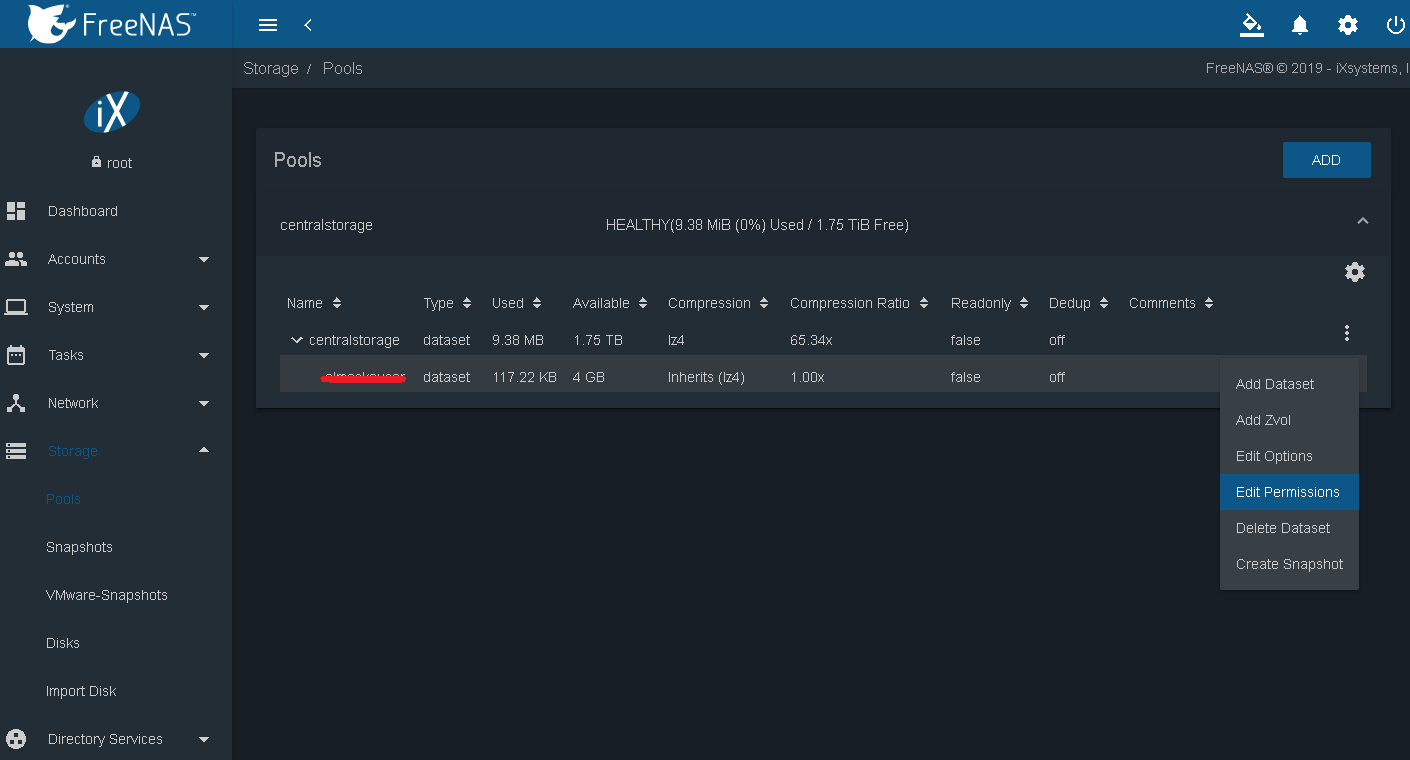
- Go to >>Storage>Pools>
- Data set name recommended as username Click on advanced settings and assign quota Share type windows then save
Create Username and assign Permissions
- Go to account >>users >>click on add
Share folder on Network
- Now select Directories & Permissions choose folder ad you created in detaset name & save
- Now click on sharing >>Windows sharing >> and then click add

- Finally click on save it will ask to you enable smb service
- Go to again storage >>pools >> click on data set select edit permission & configure username on which you want to assign access

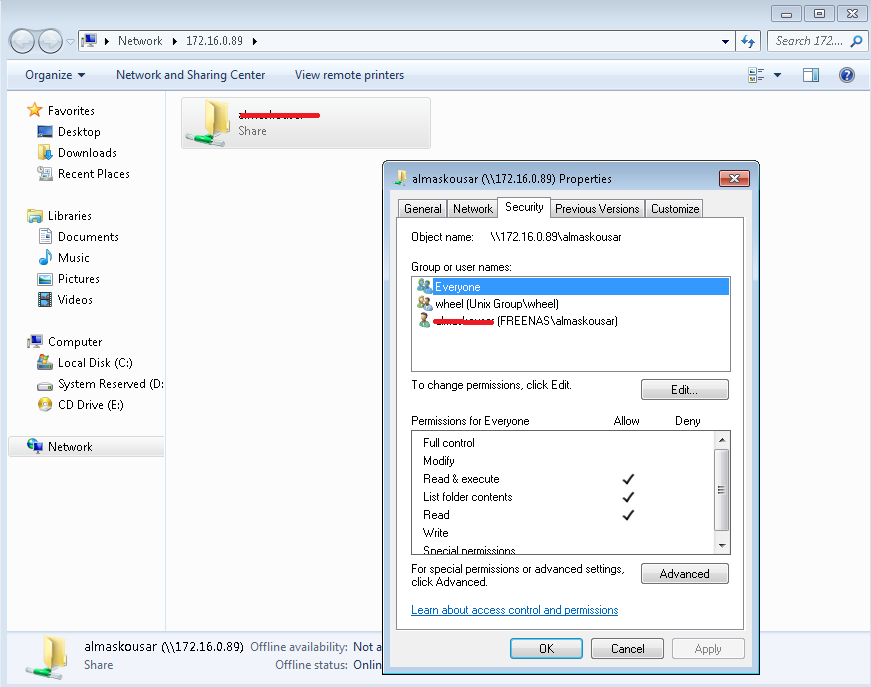
- remove every one and group from security to remove share access so only selected user ka access share folder